
Self-custody · South Africa
Sparkling Wallet South Africa: Hold Dollars, Keep Your Keys
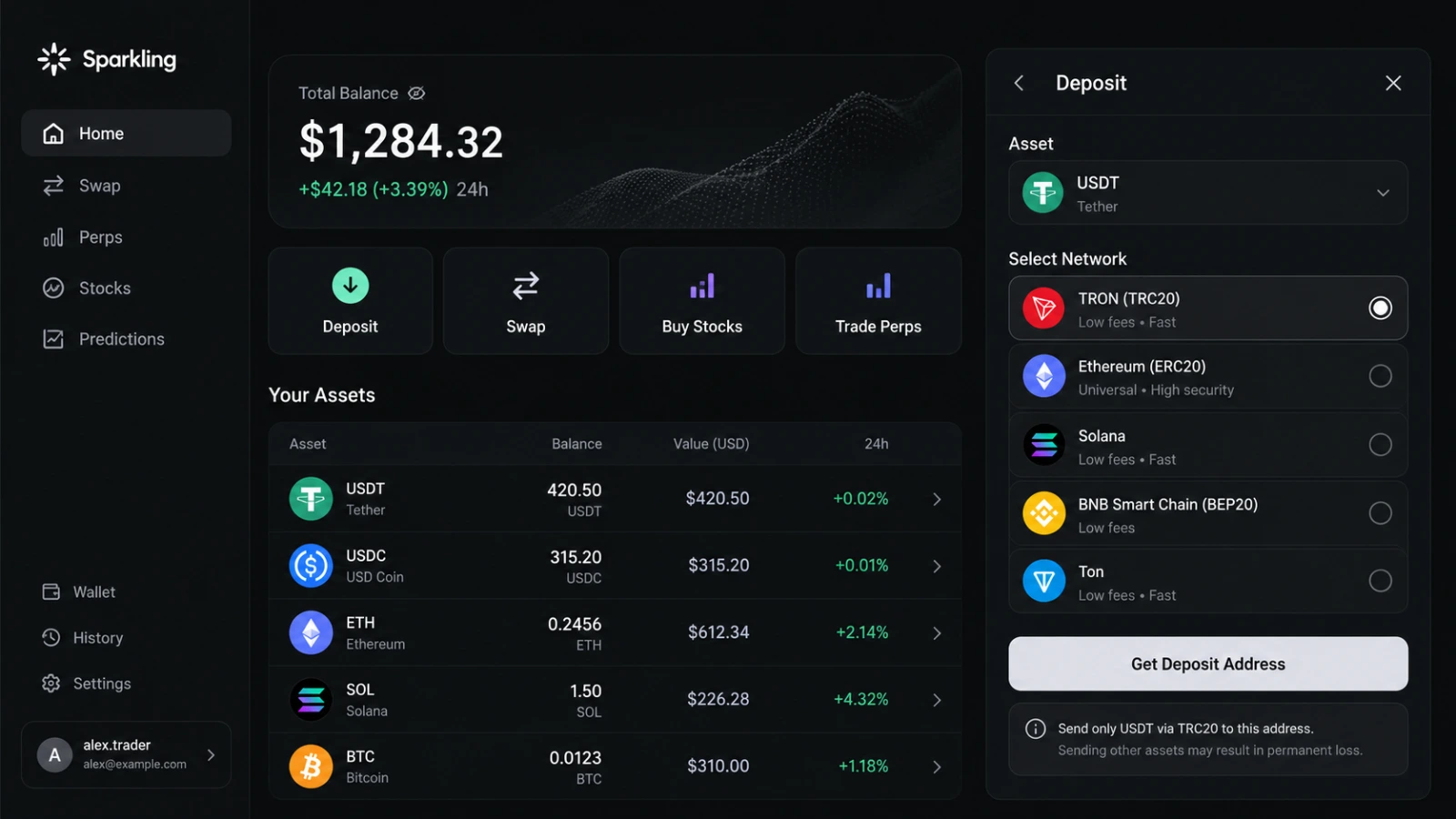
The self-custodial wallet inside Sparkling, in Telegram and on the web. Keep your savings in USDT or USDC, move them across networks in one request and confirm every transaction yourself – no seed phrase to start, nothing to install.
Sparkling Wallet in 30 seconds
- A wallet you control. Keys are secured with Turnkey and never held by Sparkling, so no one can freeze your balance.
- Dollars, not rand. Hold USDT or USDC and decide when to swap back.
- Inside Telegram. Log in with email or a wallet; a web version is also available.
- One request, any network. Move stablecoins between chains without a manual bridge.
- Every move needs your OK. Price, route and fees appear before you sign.
- Your responsibility. Lose access and Sparkling cannot recover the wallet for you.
- Sparkling is a trading app with a self-custodial wallet inside — this page focuses on the wallet side.
Why South Africans Keep Dollars in a Wallet They Control
The rand can move several percent against the US dollar in a single month. Many South Africans hold part of their savings in dollars to smooth that out — usually through a bank’s foreign currency account or a local crypto exchange. Both work, but in both cases someone else holds the money and decides when you can move it.
Sparkling takes a different route. Your dollars sit as USDT or USDC stablecoins in a self-custodial wallet: you sign every transaction, and no company can freeze or move the balance. You choose when to swap back to rand through a provider of your choice, or use it for swaps and other trades inside Sparkling.
What a stablecoin is — and what it isn’t
USDT and USDC are tokens designed to track the US dollar 1:1. They are issued by private companies, not by a bank or the Reserve Bank, and they are not covered by deposit insurance. A stablecoin can briefly trade below $1 during market stress. Treat it as a tool for holding dollar value, not as a bank deposit.
Built around your balance, not around trading
Start with a dollar balance. Swap, invest or take a position only when you decide to.
Sign in, not sign up no seed phrase to start
Use email or an existing wallet. Your keys are created and secured with Turnkey, and you can export them whenever you like.
Continue with EmailConnect wallet
Your dollar balance in one place
See every deposit, swap and transfer in one history. Stablecoins on different networks show as one balance.
✓ ConfirmedToday
Received U USDT+250.00
TronDeposit
✓ ConfirmedToday
Swapped U USDC+120.00
Solanafrom USDT
✓ ConfirmedYesterday
Sent U USDT−40.00
TONTransfer
Move money in plain words
Write "send my USDT from Tron to Solana" and the agent builds the transfer with the cheapest route it finds.
Send 50 USDT from Tron to SolanaRoute found. Review the fee and confirm.Ask anything…
See the cost before you sign
Network fee, route and the amount you receive are on the card. Decline and nothing leaves your wallet.
Bridge 50 USDT → Solana
You send50 USDT (Tron)
You receive≈ 49.6 USDT (Solana)
Network feeshown before signing
RouteBest available
DeclineConfirm
Beyond dollars tokenised US stocks
Turn part of your balance into tokenised shares via xStocks — no foreign broker account needed.
Crypto assets are volatile. Sparkling does not promise returns.
How to Fund Your Sparkling Wallet from South Africa?
1
Send crypto you already hold
Deposit USDT, USDC or other supported coins from any wallet or exchange. Check the supported network in Sparkling before you send — a transfer on the wrong network can be lost.
2
Buy with a bank card where available
A card top-up runs through a third-party on-ramp provider. Whether your South African card is accepted depends on the issuer and the provider; fees are shown before you pay.
3
Rand bank transfers
Sparkling does not accept ZAR bank transfers. To start from rand, buy stablecoins on a local exchange and send them to your Sparkling address.
One wallet, two places to open it
Your balance and keys stay the same whether you open Sparkling in Telegram or in a browser.
Sparkling · Telegram
Swap 100 USDT to BTC
Quote ready. Check the card and confirm.
You receive≈ 0.0014 BTC
Confirm
-
Sparkling in Telegram
Open the mini app from a link in Telegram and check your balance between chats. Nothing to download from an app store.
Open in Telegram -
In your browser
Prefer a bigger screen for larger transfers? Open the same wallet on the web and confirm from your laptop.
Open web version
Four ways to hold US dollars from South Africa
How a self-custodial wallet compares with the usual options on control, access and protection.
| Criteria | Self-custody Sparkling wallet | Bank FX account | Local exchange | Cash USD |
|---|---|---|---|---|
| Who controls the funds | Advantage: You | Drawback: Bank | Drawback: Exchange | Advantage: You |
| Can be frozen by a provider | Advantage: No | Drawback: Yes | Drawback: Yes | Advantage: No |
| Opening paperwork | Advantage: Email or wallet | Drawback: Bank onboarding | Partly: ID verification | Advantage: None |
| Move abroad or between networks | Advantage: Minutes | Partly: SWIFT, days | Partly: Withdraw first | Drawback: Physical |
| Deposit directly from rand | Drawback: Not offered | Advantage | Advantage | Partly: Bureau de change |
| Regulated protection if provider failsIncluding deposit insurance rules | Drawback: None — you hold the keys | Advantage: Bank regulation | Partly: FSCA licensing | Drawback: Theft or loss |
| Can be invested in US stocks | Advantage: via xStocks | Partly: Separate account | Partly: Some | Drawback |
General comparison, not a ranking. Fees, limits and protection vary by provider.
What you can do with your balance
Each agent prepares one type of action. You review the card and confirm — or simply keep holding dollars.
Swaps
Change one coin for another or move stablecoins between networks. The agent compares routes and shows the cost first.
Strategies
Choose a plan, for example a weekly split between USDC and BTC. The agent prepares each step for you to approve.
Predictions
Take a position on events such as football results via Polymarket. You can lose the full amount — size it accordingly.
Perpetuals
Advanced: long or short with built-in risk limits. Losses can exceed what you expect — not for savings.
Self-Custody Explained: What Sparkling Can and Cannot Do
What Sparkling can’t do with your money
Sparkling cannot freeze your balance, move funds without your signature or see your private keys. Keys are generated and protected with Turnkey’s secure infrastructure.
What Sparkling can’t do for you
It cannot reverse a confirmed transaction, recover funds sent to a wrong address, or restore access if you lose your login. Export your keys and store them safely once your balance grows.
Good habits
Check the network before every deposit, start with a small test transfer, and keep only what you can afford to lose in anything other than stablecoins.
What works from South Africa
Features you can use today, the regulator to know and the tax basics.
Wallet features in South Africa
Checked on 15 October 2026
| Stablecoins (USDT, USDC) | Available |
|---|---|
| Swaps across networks | Available |
| Tokenised US stocks (xStocks) | Available |
| Card top-up via on-rampDepends on card and provider | Varies |
| Rand (ZAR) bank transfers | Not offered |
| Prediction marketsLocal gambling rules apply | Varies |
| Perpetual futuresHigh risk, not for savings | Varies |
Who regulates crypto
The FSCA treats crypto assets as financial products and licenses service providers. Sparkling’s FSCA status has not been confirmed — check the FSCA register before using any provider.
Tax on crypto
SARS expects you to declare crypto gains as income or capital gains. Swapping one coin for another can also be a taxable event. Keep your transaction history.
Last checked: Not legal or tax advice
Sparkling Wallet questions from South Africa
Straight answers about custody, stablecoins, funding and tax.
Is USDT the same as holding US dollars?
No. USDT and USDC are tokens designed to track the dollar 1:1, issued by private companies. They are not bank deposits and are not insured. Their price can briefly move away from $1.
Can Sparkling freeze or take my balance?
No. The wallet is self-custodial: every transaction needs your signature, and Sparkling never holds your keys.
What happens if I lose access?
Sparkling cannot restore a self-custodial wallet for you. Export your keys from the settings and store them offline as soon as you hold a meaningful amount.
Which network should I use to deposit USDT?
Use a network that Sparkling shows as supported for USDT, and make sure the sending wallet uses the same one. Sending on an unsupported network can mean losing the funds.
Can I deposit rand directly?
No. Buy stablecoins on a local exchange or with a card where available, then send them to your Sparkling address.
Do I pay tax on stablecoins?
Holding is not a sale, but swaps and sales can be taxable events for SARS. Keep a record of every transaction and check with a tax practitioner. Since March 2026, crypto providers also report transactions to SARS under CARF.
Is Sparkling in the App Store or Google Play?
No. Sparkling runs inside Telegram and on the web. Any “Sparkling” app in an app store is not the official one.
Infrastructure
The technology behind your wallet
Sparkling relies on specialised providers for keys, assets and markets — your funds stay in your own wallet.
-
 Turnkey
Generates and protects the keys to your wallet with secure infrastructure; Sparkling never sees them.
Turnkey
Generates and protects the keys to your wallet with secure infrastructure; Sparkling never sees them.
-
 xStocks
Issues the tokenised US stocks you can hold next to your dollars.
xStocks
Issues the tokenised US stocks you can hold next to your dollars.
-
 Polymarket
Event markets for those who want to take a view on real-world outcomes.
Polymarket
Event markets for those who want to take a view on real-world outcomes.
-
 Hyperliquid
Onchain market infrastructure used for advanced positions.
Hyperliquid
Onchain market infrastructure used for advanced positions.
-
 Bebop
Bebop — Finds the best route for your swaps and executes them.
Bebop
Bebop — Finds the best route for your swaps and executes them.
Feature availability depends on your country.
Updated: